How to decode and verify a JWT from the command line
Decode a JWT's header and payload with base64 and jq, check its expiry, and verify HS256 and RS256 signatures with openssl, without pasting a live token into a website.
The OpsPath team
4 min readsecurityjwtbashopenssl
You're debugging a 401. The request carries an Authorization: Bearer eyJhbGci… header, and you need to know what's inside the token: who it's for, when it expires, which key signed it.
The quick fix is to paste it into an online decoder. Don't, at least not with a real token. A JWT is a bearer credential: whoever holds it can use it until it expires. Pasting one into a website hands that credential to a third party.
Everything you need is already on your machine: cut, base64, jq and openssl. Every command and output below was run in the OpsPath sandbox.
A JWT is three base64url segments
header.payload.signature
Each segment is base64url: base64 with - and _ instead of + and /, and the trailing = padding removed so the token is URL-safe. The header and payload are JSON. The signature is raw bytes.
That's why the obvious command often fails:
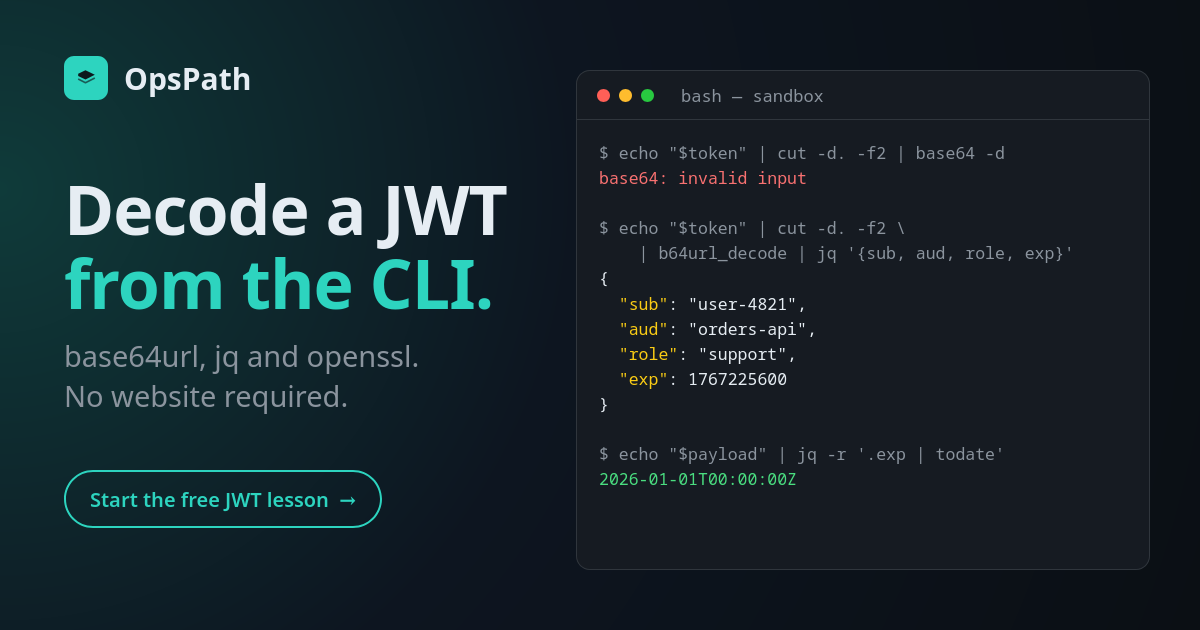
$ echo "$token" | cut -d. -f2 | base64 -d
base64: invalid input
Plain base64 doesn't accept _ or -, and it expects the length to be a multiple of 4.
A base64url decoder in five lines of bash
Map the alphabet back, restore the padding, then decode:
b64url_decode() {
  local s
  s=$(tr '_-' '/+')
  while (( ${#s} % 4 )); do s+="="; done
  printf '%s' "$s" | base64 -d
}
Now each segment decodes, and jq makes it readable:
$ echo "$token" | cut -d. -f1 | b64url_decode | jq .
{
  "alg": "HS256",
  "typ": "JWT"
}
$ echo "$token" | cut -d. -f2 | b64url_decode | jq .
{
  "iss": "https://auth.example.com",
  "sub": "user-4821",
  "aud": "orders-api",
  "name": "Chloé Park",
  "role": "support",
  "scope": "orders:read tickets:write",
  "iat": 1764547200,
  "nbf": 1764547200,
  "exp": 1767225600,
  "jti": "f6ac8bfa-e94d-4823-97d3-84b60fd06d55"
}
The header tells you how the token claims to be signed (alg) and often which key signed it (kid). The payload holds the claims:
iss: who issued the token.sub: who it's about.aud: which API it's meant for.exp,nbf,iat: when it expires, when it becomes valid, and when it was issued.jti: a unique ID for the token.- Anything else (
role,scope) is specific to your system.
Notice that you just read all of that without a key. A standard JWT is signed, not encrypted. Never put anything in a payload you wouldn't want the token holder to read.
When does it expire?
The times are Unix seconds. jq's todate converts them:
$ echo "$payload" | jq -r '.exp | todate'
2026-01-01T00:00:00Z
In a script, compare against the current time:
exp=$(echo "$payload" | jq -r '.exp')
if (( $(date +%s) >= exp )); then echo "token expired"; else echo "token still valid"; fi
A surprising number of 401s come down to this: a token that expired, or a server whose clock has drifted.
Verifying an HS256 signature with openssl
Decoding tells you what the token says. Verifying tells you whether to believe it.
For HS256, the signature is HMAC-SHA256 over the first two segments exactly as they appear in the token (header.payload), keyed with a shared secret. Recompute it and compare. The examples from here on use a second token, signed with the demo secret opspath-demo-secret, so you can check the result:
b64url() { base64 -w0 | tr '+/' '-_' | tr -d '='; }
hs256()  { printf '%s' "$1" | openssl dgst -sha256 -hmac "$2" -binary | b64url; }
$ echo "$(hs256 "${token%.*}" "$secret")"
Av-8YiOZoZPsML1HoMu-V-CdeTKO3QtqMsmbZHV5I3o
$ echo "${token##*.}"
Av-8YiOZoZPsML1HoMu-V-CdeTKO3QtqMsmbZHV5I3o
${token%.*} is everything before the last dot, and ${token##*.} is the signature. If they match, the token was signed with that secret and hasn't been modified. Change one character of the payload and they won't match.
Verifying an RS256 signature with openssl
For RS256, the issuer signs with a private key and you verify with its public key. Write the signed part and the decoded signature to files, then let openssl check them:
$ printf %s "${token%.*}" > signed.txt
$ echo "$token" | cut -d. -f3 | b64url_decode > sig.bin
$ openssl dgst -sha256 -verify public.pem -signature sig.bin signed.txt
Verified OK
(ES256 is harder by hand. JWTs store ECDSA signatures as raw r‖s bytes, but openssl expects DER. Use a library for those.)
Or use a library
Once you're in code, use a real JWT library rather than your own parsing. With Python's PyJWT:
$ python3 -c 'import jwt,sys; print(jwt.decode(sys.argv[1], "opspath-demo-secret", algorithms=["HS256"]))' "$token"
{'sub': '42', 'name': 'Ada', 'iat': 1767225600}
Note algorithms=["HS256"]. That allow-list is not optional.
Decoding isn't validating
Everything above is for debugging. An API that accepts tokens needs to do more than check a signature. It has to:
- Pin the algorithm in its own config, never trusting the token's
algheader. That's what stopsalg: noneand RS256→HS256 key-confusion forgeries. - Check
audandiss, so a token minted for another service is rejected. - Check
expandnbf, with a small leeway for clock skew. - Require the claims it relies on. A token with no
expnever expires.
Each of those checks exists because skipping it has caused real breaches.
Learn it hands-on
The Security Essentials: JWT, TLS & SSH track covers all of this with real tools in your browser. You take a JWT apart, sign one from scratch, build a validator that passes a test suite, then forge alg: none and key-confusion tokens against a vulnerable verifier and fix it. You finish with ES256, a JWKS, and rotating keys without logging anyone out.
The first JWT lesson, Anatomy of a JWT, is free and uses the same token as this post. The TLS and SSH modules are live too.