Learn Terraform by doing: from your first resource to a production pipeline
Videos can't teach you state, drift, or how to read a plan under pressure. Here's how OpsPath teaches Terraform the way the job actually works — hands-on, in your browser, with no cloud bill.
The OpsPath team
7 min readterraforminfrastructure-as-codecareer
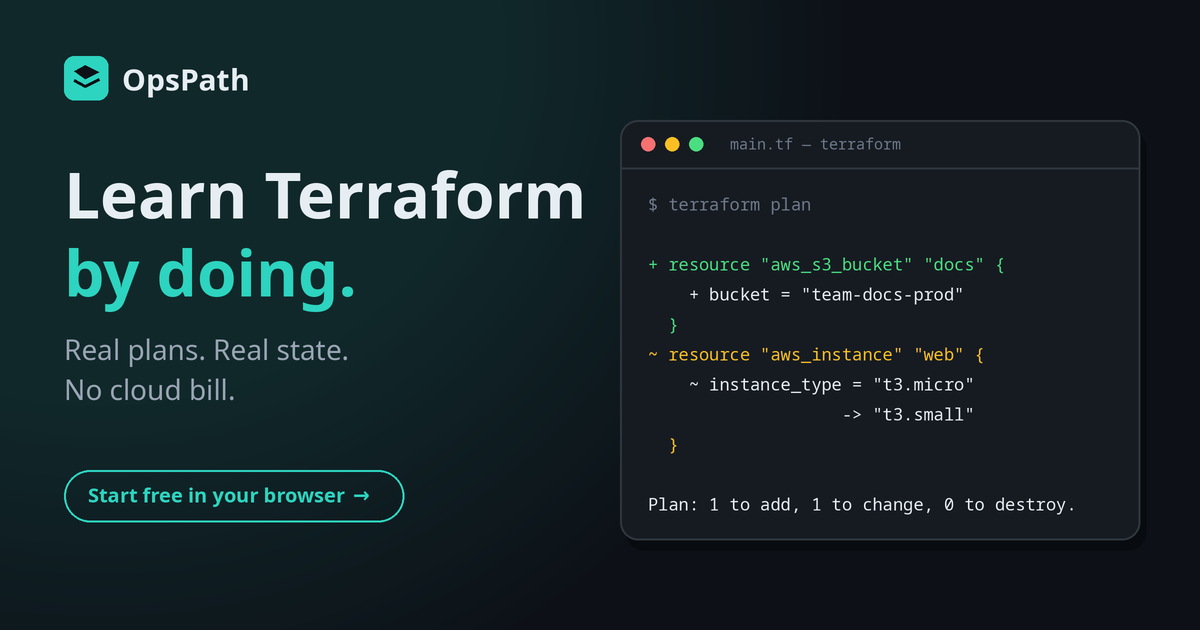
Terraform is one of the most requested skills in infrastructure, platform, and DevOps job postings. It's also one of the easiest to think you know.
You can watch a ten-hour course, nod along as the instructor types terraform apply, and walk away able to explain what a provider is. Then someone hands you a real ticket — "bring the legacy bucket under Terraform without recreating it" — and you realise you've never actually done anything.
That gap between knowing about Terraform and being able to use it is what OpsPath is built to close.
Why Terraform is hard to learn the usual way
Most people try one of three routes, and each has a catch.
Video courses are passive. Terraform is a tool you learn through feedback: you write something, read the plan, get it wrong, and fix it. Watching someone else get it right skips the part where the learning happens.
Your own AWS account is real, but it's scary — and it should be. A forgotten NAT gateway or a leaked access key turns into a surprise bill. So learners play it safe: they create one bucket, destroy it, and never go near the failures that actually teach you. Nobody deliberately corrupts their own state file to see what happens.
The documentation is excellent reference material, but it isn't a curriculum. It tells you what import blocks are. It doesn't set up a situation where you need one.
What's missing from all three is a place to practise the job itself: somewhere to write real configuration, read real plan output, break things on purpose, and recover — without risk.
How OpsPath teaches Terraform
Every lesson on OpsPath is hands-on. You write HCL in an editor in your browser, run it, and read the result. Lessons are broken into steps, and each step is checked automatically — so you know you've actually done it, not just read about it.
There's nothing to install and no cloud account to create. The free foundations course runs in a simulator, and the real-Terraform lessons run in isolated, disposable sandboxes — so you can't run up a bill or leave something running by mistake.
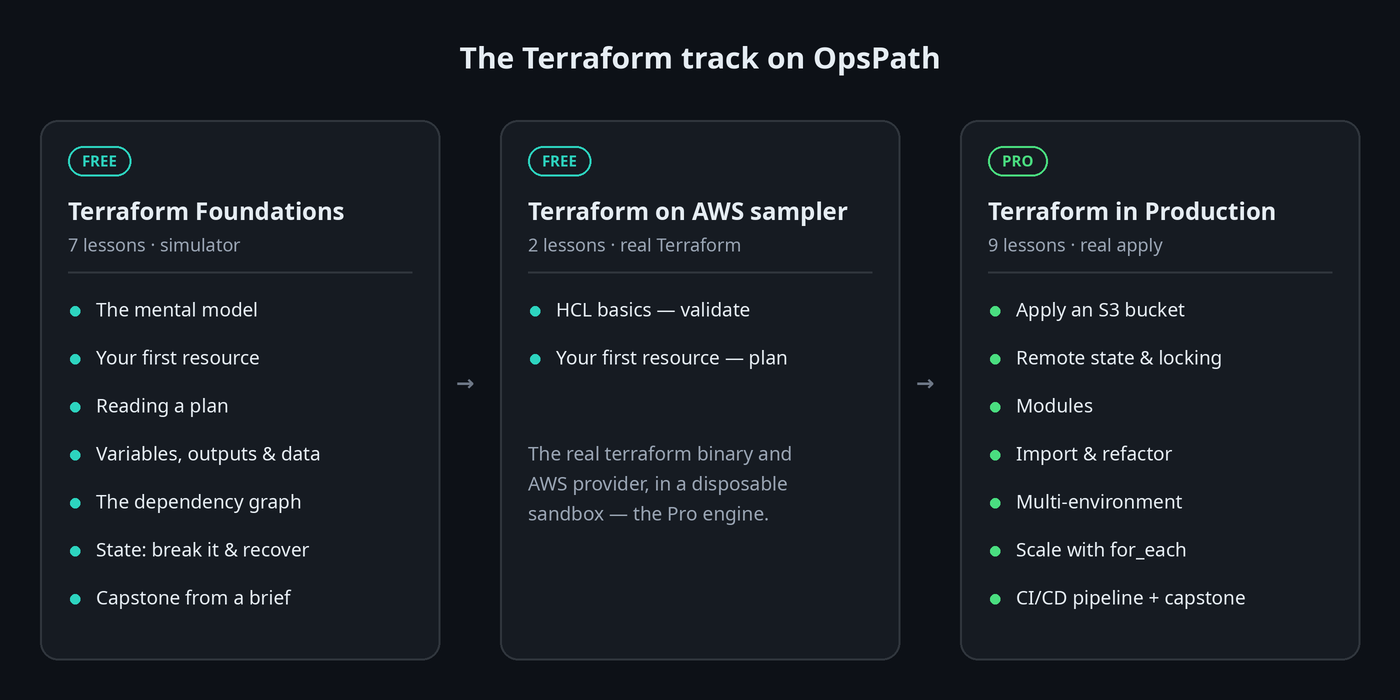
The track is built in three parts.
1. Terraform Foundations — free
Seven lessons that build the mental model everything else depends on. The first lesson doesn't even ask you to sign up.
| Lesson | What you actually do |
|---|---|
| The Mental Model | Predict what plan and apply will do across scenarios, before writing any code |
| Your First Resource | Write a resource, plan it, apply it, and watch state appear |
| Reading a Plan | Decode the +, ~ and - symbols and the summary line — the most-used skill on the job |
| Variables, Outputs & Data Sources | Turn hard-coded values into parameters and expose what consumers need |
| Dependencies & the Resource Graph | See how references decide the order Terraform builds things in |
| State — Break It & Recover | Cause drift, delete the state file, and recover with import |
| Capstone — Build a Stack | Build a small stack from a written brief, the way real tickets arrive |
This course runs on a purpose-built Terraform simulator that shows three panes side by side: your code, Terraform's state, and the real infrastructure. That's something you never get to see with a real cloud account — and it's the fastest way to understand what state really is.
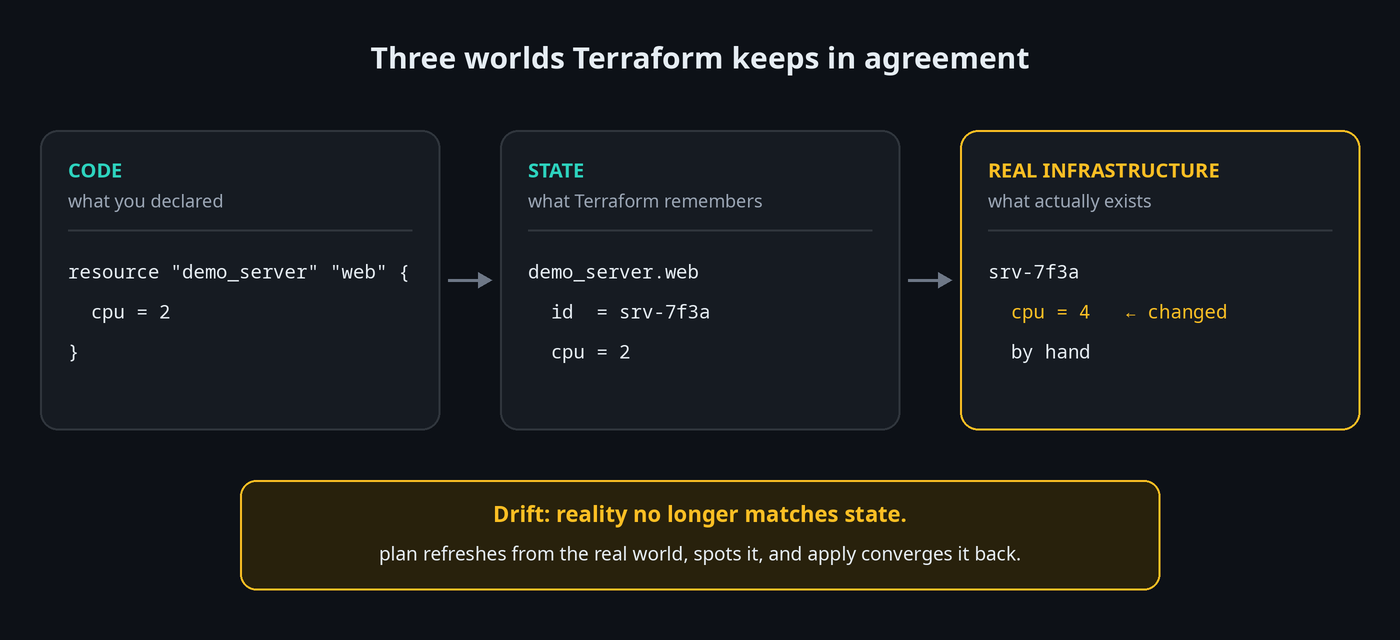
The State lesson is the one learners remember. You deliberately break state in the three ways it breaks in real life — drift, a deleted state file, and two applies racing — and recover from each one. It's safe because it's a simulator, and it's memorable because you did it yourself.
Golden rule: never hand-edit or delete state, and never let two applies share one local state file. On OpsPath there are buttons that let you do exactly that — so you feel why the rule exists.
The capstone gives you a brief rather than instructions: a variable, a network, a server wired to that network, and two outputs. When the checks pass, you get a résumé line describing what you built — something concrete to talk through with an interviewer.
2. Terraform on AWS — a free taste of the real thing
Two more free lessons swap the simulator for the real terraform binary and the real AWS provider. You'll run validate and plan against genuine AWS resource types like aws_s3_bucket, and see exactly the output you'd see on the job.
resource "aws_s3_bucket" "example" {
  bucket = "my-unique-bucket-name"
}
3. Terraform in Production — Pro
This is where the job-ready skills live. Nine lessons run real Terraform with real apply against a sandboxed AWS environment (powered by LocalStack), so resources are genuinely created, changed and destroyed in the sandbox — without an AWS account or a bill.
- Remote state & locking — move state into an S3 backend with DynamoDB locking. This is the single most important production Terraform skill, and every real team sets it up before anything else.
- Modules — compose infrastructure from reusable building blocks.
- Import & refactor — adopt a "ClickOps" bucket someone created by hand years ago, using config-driven
importblocks, without recreating it. - Multi-environment — run dev and prod from the same code without them stepping on each other.
- Scale with
for_each— manage many similar resources from one block. - CI/CD — walk a change through the two jobs every Terraform pipeline has: plan on pull request and apply on merge.
- Production capstone — ship a stack from a brief with remote state, locking, a module, variables and a dependent resource.
Here's the backend block you'll write in the remote-state lesson, and then watch Terraform take a real lock before it plans:
terraform {
  backend "s3" {
    bucket         = "tf-state"
    key            = "prod/app.tfstate"
    region         = "us-east-1"
    dynamodb_table = "tf-locks"
  }
}
Built for getting hired, not just for learning
Knowing Terraform and getting hired to use it aren't quite the same thing, so the track covers both.
Interview questions, built into the lessons. Most lessons end with the questions interviewers actually ask about that topic, with worked answers. For example, after the State lesson:
"Two engineers run
terraform applyat the same time against the same state. What happens, and how do you prevent it?"
You'll have just watched it happen, so you'll be able to answer from experience rather than from memory.
Terraform Associate (004) prep, free. If you're going for the HashiCorp certification, OpsPath has a quick readiness diagnostic, an untimed practice question bank, and a timed practice exam — all mapped to the nine 004 exam objectives, with explanations for every answer. None of them need an account.
Certificates of completion. Finish every lesson in the free foundations (or any track) and you can claim a certificate of completion, with a public verification page and an Add to LinkedIn button.
How it compares
| Video courses | Your own AWS account | OpsPath | |
|---|---|---|---|
| Write and run real Terraform | ❌ You watch | ✅ | ✅ Every lesson |
| Risk of a surprise bill | None | ⚠️ Real | None |
| Break state safely, on purpose | ❌ | ❌ Too risky | ✅ Built into the course |
| Know you've actually done it | ❌ | ❌ | ✅ Every step is checked |
| Interview and certification prep | Sometimes | ❌ | ✅ Built in |
What about OpenTofu?
OpenTofu is an open-source fork of Terraform. It uses the same HCL language, the same plan/apply workflow, and the same state model — so everything you learn here applies to both. We've written a plain-English explainer of the Terraform/OpenTofu split if you want the details.
Who this is for
- Career changers and graduates aiming for a first platform, cloud or DevOps role.
- Developers and sysadmins who keep hearing "we manage that in Terraform" and want to contribute with confidence.
- Anyone preparing for the Terraform Associate exam who wants hands-on practice, not just flashcards.
You don't need an AWS account or any Terraform experience to start. It helps to be comfortable at a command line — and if you're not yet, the Linux and Bash tracks on OpsPath cover that too.
Start in the next five minutes
The first lesson, The Mental Model, runs in your browser with no signup. Work through the free foundations course, see whether learning by doing clicks for you, and upgrade to Pro when you're ready for production skills.