How to become a DevOps or platform engineer: the skills, in order
A practical DevOps roadmap: the eight skills platform and infrastructure teams expect, the order to learn them in and why, what 'good enough to move on' looks like for each, and what to leave until later.
The OpsPath team
7 min readcareerdevopsroadmap
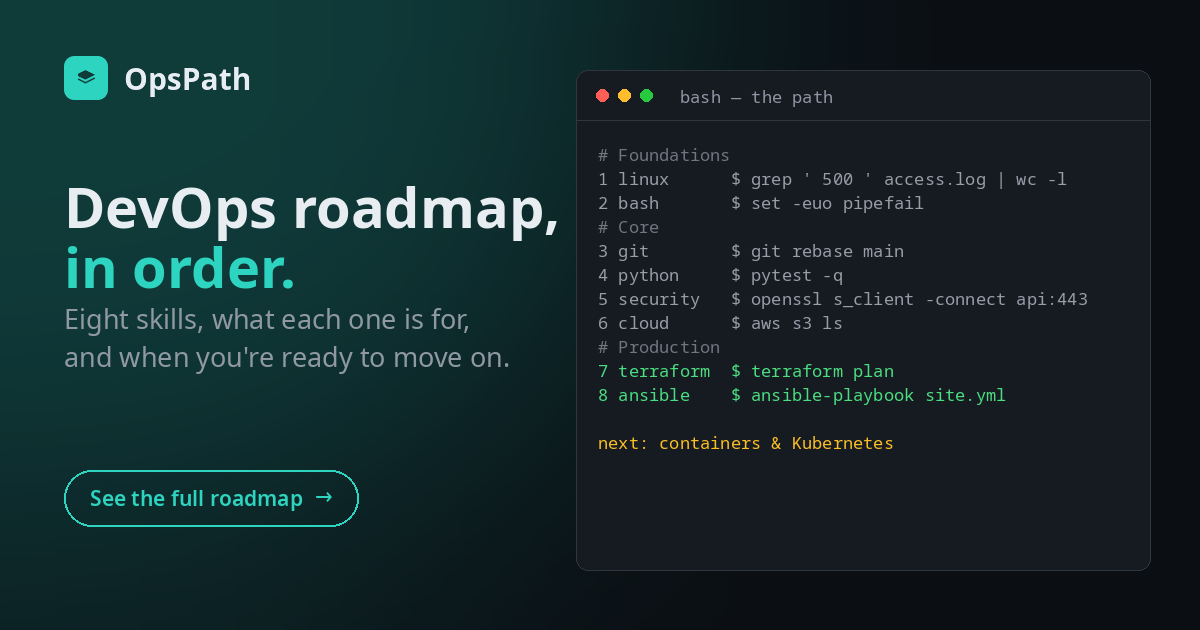
DevOps engineer, platform engineer, cloud engineer, SRE, infrastructure engineer. The job titles vary from company to company, but the skills underneath them overlap a lot. Every one of those teams expects you to be at home in a Linux shell, to script your way out of repetitive work, to work in Git, to understand how services talk to each other securely, and to build infrastructure from code rather than by clicking.
Most "DevOps roadmaps" are a wall of logos. The list matters less than the order. Each skill leans on the ones before it, and the most common way to stall is to start at the top: jumping into Kubernetes or Terraform before the shell feels natural, then getting lost in errors that are really Linux, networking or Git problems.
This is the order we'd learn it in, why, and how to tell when you're ready for the next step.
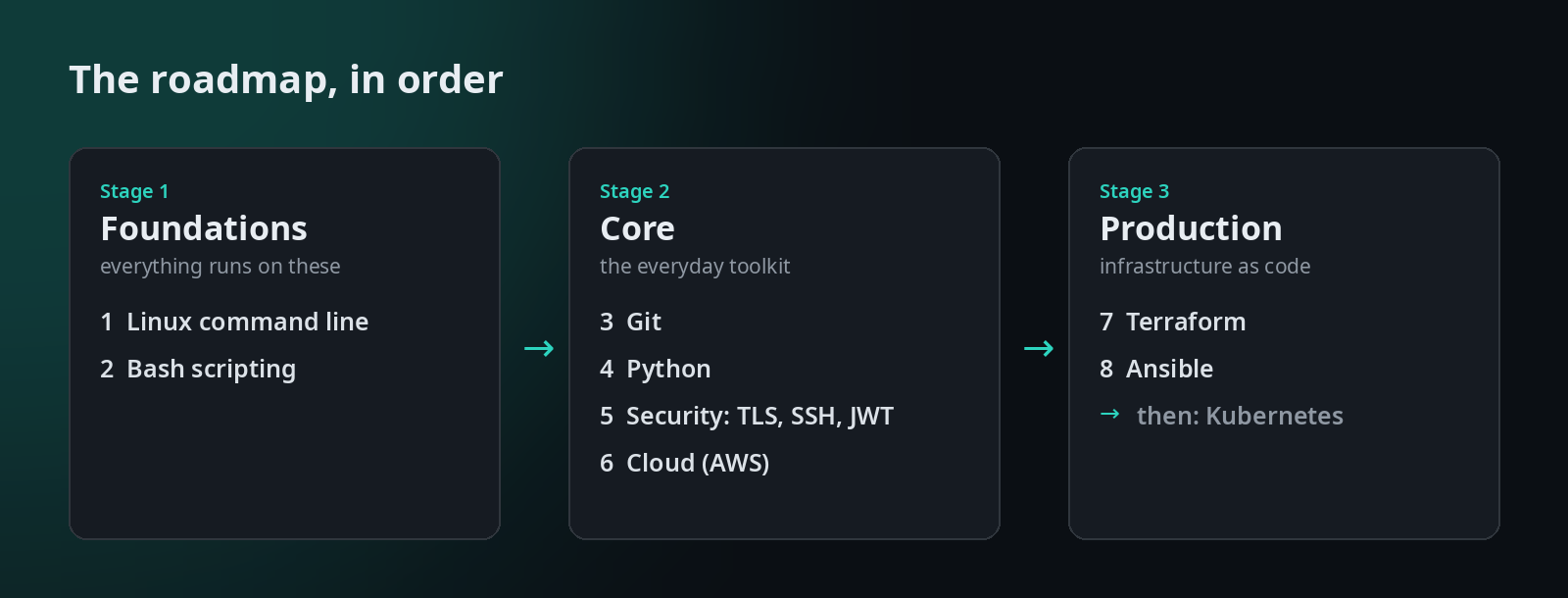
Stage 1: Foundations
1. The Linux command line
Almost everything in this field runs on Linux: servers, containers, CI runners, the cloud's virtual machines. When something breaks, you'll be in a terminal on one of them, so this comes first.
Learn: moving around the filesystem, pipes and redirection, grep, find, sed and awk, permissions, processes, disks and logs.
Ready to move on when you can: take a log file you've never seen and answer a question about it in one pipeline ("which endpoint failed most this morning?"), fix a script that says Permission denied, and find what's filling a disk or eating the CPU.
Common trap: learning commands from a cheat sheet without ever needing them. Practise on real files and real questions.
2. Bash scripting
Once you're comfortable typing commands, the next step is saving them. Every team has scripts that deploy, back up, rotate and clean up, and you'll read them long before you write them.
Learn: variables and quoting, conditionals and loops, functions, arguments, exit codes, and strict mode (set -euo pipefail), so a script stops at the first failure instead of carrying on and doing damage.
Ready to move on when you can: write a script that takes arguments, handles missing input, fails safely, and that you'd trust to run unattended in CI.
Common trap: quoting. Most Bash bugs are an unquoted variable meeting a filename with a space in it.
Stage 2: Core
3. Git
Everything you'll build from here on (scripts, Terraform, pipelines, configuration) lives in Git, and every change goes through a pull request.
Learn: commits, branches, merging and resolving conflicts, remotes, rebasing, and undoing mistakes without panicking.
Ready to move on when you can: resolve a merge conflict calmly, explain merge versus rebase, and recover a commit you thought you'd lost.
Common trap: learning three commands and copying the rest from Stack Overflow. The day a rebase goes wrong is a bad day to learn what reflog does.
4. Python
When a Bash script grows past a page, or needs to parse JSON or call an API properly, teams reach for Python. You don't need to become a software engineer, but you need to write small, tested tools.
Learn: data structures, functions, JSON and CSV, regular expressions, subprocess, writing small command-line tools, and tests with pytest.
Ready to move on when you can: turn a manual chore into a small CLI tool with tests, and read someone else's automation code without fear.
5. Security basics: TLS, SSH and tokens
You don't need to be a security specialist, but every system you touch depends on a few security building blocks, and when they break, you're the one debugging them.
Learn: hashing versus encryption versus signing, TLS and certificates (and how to read the error when a certificate is wrong), SSH keys, jump hosts and tunnels, and how JWTs work and fail.
Ready to move on when you can: debug a broken TLS connection from the error message, set up SSH through a bastion, and explain why a JWT signature doesn't make the payload secret.
Common trap: treating certificate errors as something to switch off. curl -k is a symptom, not a fix.
6. The cloud (start with one: AWS)
Pick one cloud and learn it properly. The ideas carry over between providers: identity and permissions, storage, networking, compute, managed databases and messaging. AWS is a common first choice, and it's the one OpsPath teaches.
Learn: the CLI, IAM (users, roles, policies, least privilege), S3, VPCs and networking, compute, a managed database, and queues and notifications.
Ready to move on when you can: build a small multi-service setup from the CLI and explain who is allowed to do what, and why.
Common trap: learning in the console only. Everything you click will later have to become code, so get used to the CLI and the API shapes early.
Stage 3: Production
7. Infrastructure as code: Terraform
This is where the earlier stages pay off. Terraform turns the cloud resources you just learned into reviewed, repeatable code, and it sits at the centre of a lot of platform work.
Learn: resources, variables and outputs, reading a plan, state (what it is, drift, and recovering from mistakes), modules, remote state with locking, importing existing resources, multiple environments, and running Terraform from CI.
Ready to move on when you can: read a plan and predict exactly what will change, recover from drift or a lost state file, and structure a project that dev and prod can share.
Common trap: treating state as an implementation detail. Most Terraform incidents are state incidents. (We wrote a whole post on it.)
8. Configuration management: Ansible
Terraform creates the machines. Something still has to configure what runs on them. Ansible does that by describing the state you want and making it so, safely enough to run again and again.
Learn: playbooks, modules, idempotency, variables and facts, templates, handlers and roles.
Ready to move on when you can: write a playbook that configures a service and reports changed=0 the second time you run it.
After that: containers, Kubernetes and the rest
Containers and Kubernetes come next, deliberately late. Kubernetes is Linux processes, networking, YAML, security and infrastructure as code, all at once. With the stages above behind you, it's a new layer on familiar ground. Without them, it's a wall of errors you can't place.
Alongside it you'll pick up CI/CD pipelines in more depth, monitoring and observability, and on-call. These are learned best on the job, on top of the foundations above.
What to leave until later
- Collecting certifications before skills. A certification is a good way to structure study, and some employers screen for them, but it opens doors you then have to walk through. Learn the skill, then certify it.
- Learning three clouds at once. One, properly. The second takes a fraction of the time.
- Starting with the shiniest tool. Kubernetes first is the classic stall.
- Watching instead of doing. You can watch someone resolve a merge conflict a dozen times and still freeze at your first real one. You learn this field with your hands on a keyboard.
Proving it to an employer
Interviews for these roles are practical. Expect "the server is slow, what do you do?", "two engineers ran terraform apply at once, what happened?", or "walk me through what happens when you curl an HTTPS site". The best preparation is having done the thing and being able to explain it.
Keep a short list of what you've built and what broke along the way. A story about a merge conflict you resolved or a state file you recovered beats a list of tools on a CV.
How OpsPath maps to this
OpsPath is built around exactly this path. Each stage above is a track, in the same order, on the roadmap:
Every lesson is hands-on: real commands, real code and real tools, run in a sandbox in your browser, with each step checked automatically. Nearly every lesson ends with the interview questions on its topic, with worked answers. Finish a track and you can claim a certificate of completion with a public verification page.
The first lessons of every track are free (25 in all, including the whole Terraform Foundations course), and running them only needs a free account. Pro unlocks every lesson in every track. Containers & Kubernetes is the next track we're building.