Learn Ansible by doing: describe the state you want, and run it as often as you like
Terraform builds the machine. Ansible configures what runs on it. Here's how OpsPath teaches configuration management: real ansible-playbook runs in your browser, with idempotency you can see in the output.
The OpsPath team
6 min readansibleconfiguration-managementcareer
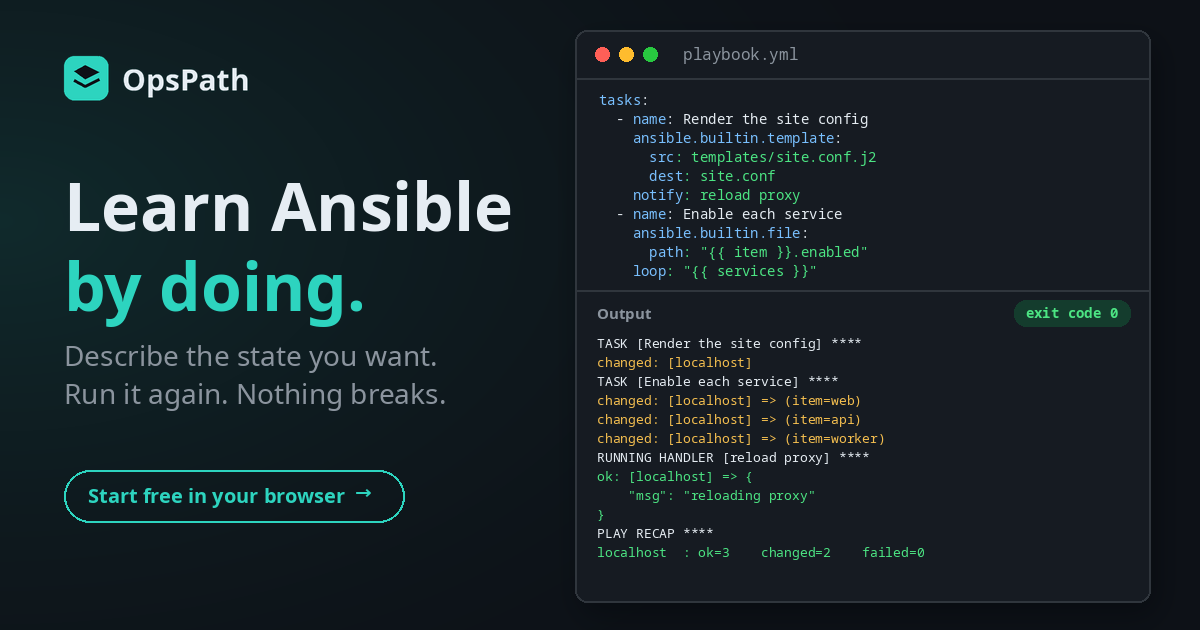
Provisioning a server is only half the job. Once it exists, something has to put the right config files on it, in the right places, with the right values, and keep them that way. On a lot of infrastructure teams, that something is Ansible.
Ansible looks simple: a YAML file with a list of tasks. The idea underneath is what makes it powerful, and it's what most people miss when they treat a playbook like a Bash script written in YAML. You don't tell Ansible what to do. You tell it how things should be, and it works out whether anything needs to change.
The Configuration Management with Ansible track on OpsPath is built around that idea.
Why Ansible is hard to learn
It looks like a script, but it isn't one. New users write playbooks as a sequence of commands and miss the point: a well-written task describes a desired state and is safe to run again and again.
You need machines to practise on. The usual setup is a control machine, an inventory, SSH keys and a couple of virtual machines before you've written your first task. That's an evening gone.
The feedback is easy to ignore. Ansible tells you exactly what it did, with ok, changed and a play recap, but beginners skim past it. That output is how you know your playbook is idempotent.
How OpsPath teaches Ansible
Every lesson runs real ansible-playbook in an isolated sandbox in your browser. You write the playbook in an editor, press Run, and read the real output: each task's ok or changed, the handlers that fired, and the play recap at the end.
The playbook runs against the sandbox itself, the way Ansible runs against a local machine. There's no inventory, no SSH and no virtual machines to set up, so you get straight to writing tasks. Steps are checked automatically: that the play succeeded, what Ansible reported, and the files your playbook actually produced.
An honest note on scope. The sandbox has no network and doesn't run as root, so the exercises manage files, directories and templates: the heart of configuration management. Modules that install packages, manage system services or create users need a full machine. The lessons explain those in prose and in the interview questions, and you practise the same patterns on files.
What's in the track
Nine lessons in four modules. The first two are free with an account.
| Lesson | What you actually do |
|---|---|
| Your First Playbook (free) | Write a one-task play, run it, and explain what a play, a task and a module are |
| Tasks & Modules (free) | Create a file with copy and a directory with file, and read whether each task reported ok or changed |
| Idempotency | Run a task against a file that's already correct and see changed=0, then ask for something different |
| Variables & Facts | Define variables, render them into a file, and explain how they differ from the facts Ansible gathers |
| Templates with Jinja | Render a Jinja2 template into a config file, and explain when template beats copy |
| Loops & Conditions | Create one file per item with loop, and skip tasks with when |
| Handlers & Notify | Trigger a handler only when a task actually changed something, and explain why that matters |
| Roles | Call a role, override one of its variables, and explain why roles beat one long playbook |
| Capstone: Configure a Service | Build a playbook from a written brief, with variables, a template, a loop and a handler |
Idempotency, in the output
The idempotency lesson is the one that makes Ansible click. The sandbox already has an app.conf containing port=8080, and you write a task that asks for exactly that. Ansible checks, finds nothing to do, and reports changed=0. Then you ask for port=9090, and only then does it write the file.
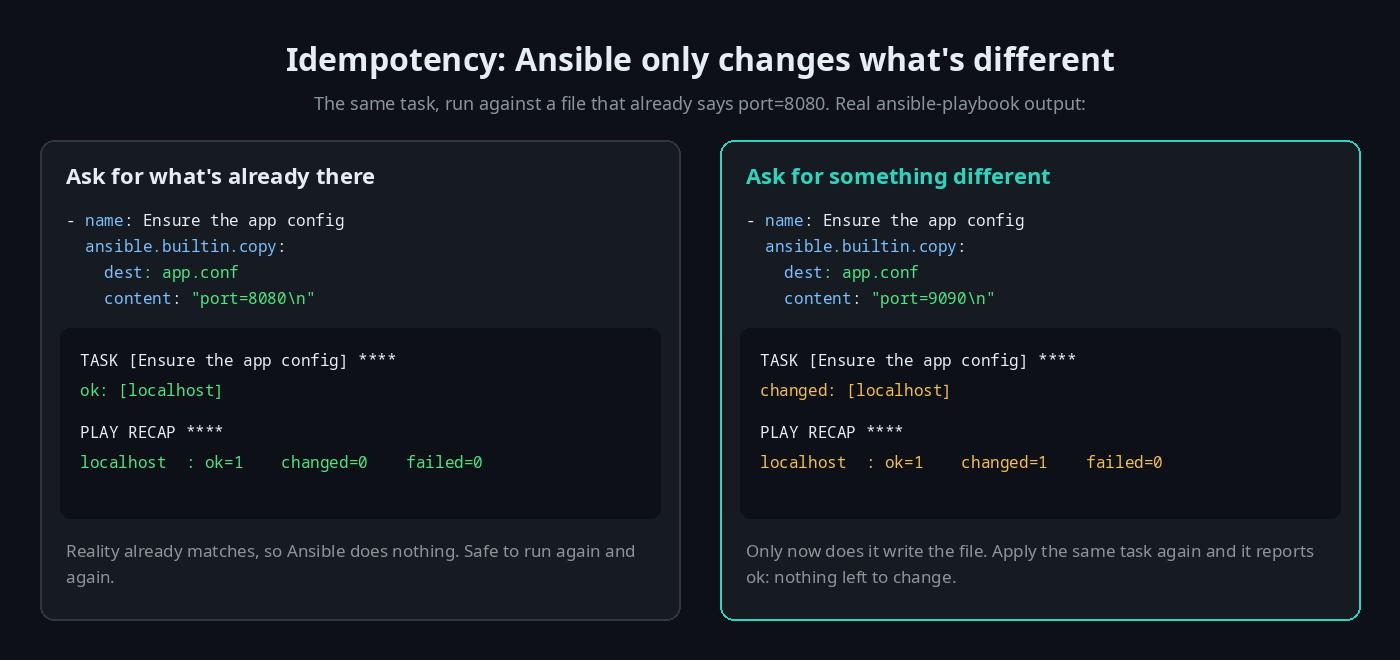
That's the difference from a Bash script. A script that appends a line to a config file adds it again on every run. A task that describes the file's contents can run a hundred times and leave it exactly right.
Handlers: act only when something changed
Handlers build on the same idea. A task that updates a config file can notify a handler, and the handler runs once at the end of the play, but only if that task reported changed. In real life that handler restarts or reloads a service. In the sandbox, which has no services, the capstone's handler prints a message, so you can see exactly when it fires.
Built for getting hired
Interview questions in every lesson. Each lesson includes an interview-prep question on its topic, with a worked answer. After the tasks and modules lesson, for example:
"A task reports
okinstead ofchanged. Did it run?"
(It did. It just didn't need to change anything.) Others cover how a playbook differs from a Bash script, what idempotency means and why it matters, variables versus facts, template versus copy, loop and when, when a handler runs, and what a role is for.
Résumé bullets you've earned. Finishing a lesson adds a ready-to-copy résumé line to your profile. The idempotency lesson's reads: "Wrote idempotent Ansible — desired-state tasks that converge a machine and are safe to re-run, reasoning about the changed/ok outcome."
A certificate when you finish. Complete every lesson in the track and you can claim a certificate of completion, with a public verification page and an Add to LinkedIn button.
How it compares
| Videos & docs | Your own lab of VMs | OpsPath | |
|---|---|---|---|
| Run real playbooks | ❌ You watch | ✅ | ✅ Every lesson |
| Setup before your first task | None | Control node, inventory, SSH, VMs | None, it's in your browser |
| See idempotency in the output | Sometimes | ✅ If you look for it | ✅ Built into the lessons |
| Know you've actually done it | ❌ | ❌ | ✅ Every step is checked |
| Interview prep | Sometimes | ❌ | ✅ In every lesson |
A lab of real machines is still worth building eventually, especially for packages and services. OpsPath gets you fluent in the model first, so that lab time goes on the parts that need it.
Where it fits
Ansible is the natural partner to Terraform. Terraform builds the infrastructure. Ansible configures what runs on it. Both are declarative: you describe the end state and the tool works out the steps. So each track makes the other easier to learn. We've written about how the Terraform track works too.
It also leans on the earlier tracks. Playbooks are YAML files you'll keep in Git, and the reasons idempotency matters make most sense once you've written a few Bash scripts that weren't.
Who this is for
- Engineers heading for DevOps, platform or SRE roles, where configuration management sits alongside infrastructure-as-code.
- Sysadmins who configure servers by hand or with scripts, and want changes that are repeatable and safe to re-run.
- Terraform learners who want the other half of the picture.
You don't need any Ansible experience to start, or any machines of your own.
Start in the next five minutes
Create a free account and open Your First Playbook. The next lesson, Tasks & Modules, is free too. See whether learning by doing clicks for you, then upgrade to Pro when you want the rest of the track.