Learn AWS by doing: real CLI calls, a safe sandbox, and no surprise bill
You can't automate a cloud you don't understand, and you shouldn't learn it on a credit card. Here's how OpsPath teaches AWS: real AWS CLI commands against a sandboxed AWS emulator, in your browser, with every step checked.
The OpsPath team
7 min readawscloudcareer
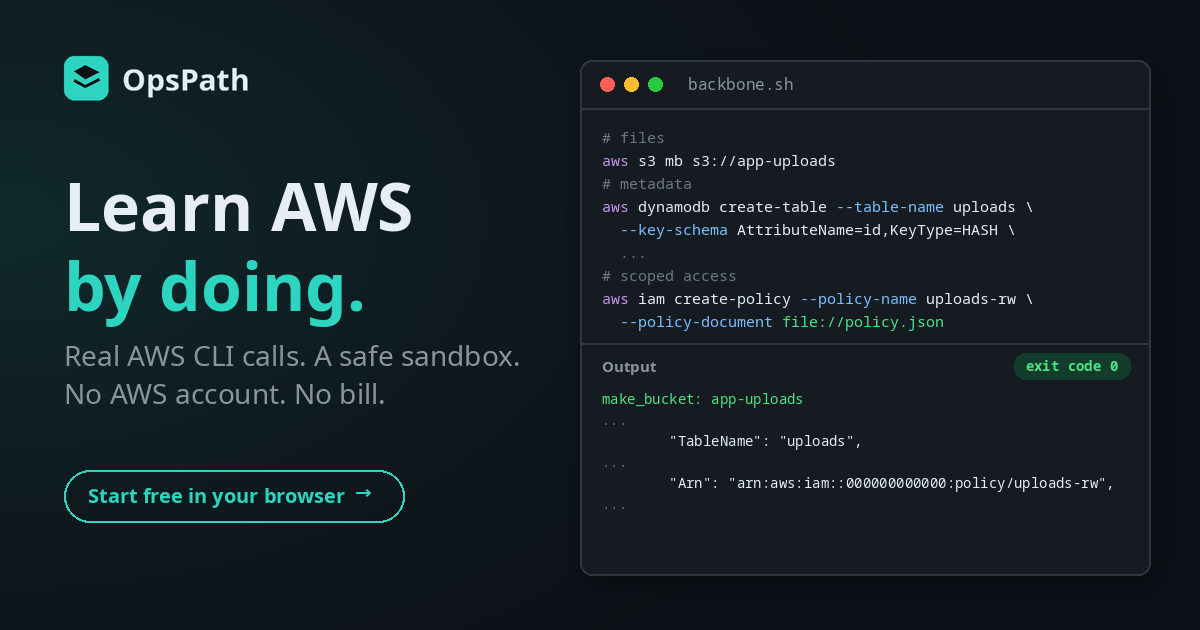
AWS is the largest public cloud, and a lot of infrastructure work is built on it. It's also one of the most intimidating things to learn on your own.
There are hundreds of services. Most tutorials start with "create an account and add a payment card", and it's easy to find stories of people who left something running over a weekend and got the bill. So people end up learning AWS the slow way: watching, reading, and clicking through the console without ever really understanding what they've built.
The Cloud Fundamentals (AWS) track on OpsPath takes a different route. You drive AWS the way automation does, through the API, one command at a time.
Why AWS is hard to learn on your own
The free tier isn't a safety net. It has limits, and not everything is covered. A misconfigured resource, a forgotten instance or a leaked access key can turn into a real bill. That risk makes people cautious in exactly the wrong way. They create one thing, delete it, and never experiment.
The console hides what's really happening. Clicking "Create bucket" works, but it teaches you where the button is, not what AWS actually did. Underneath, every click is an API call, and that API is what Terraform, CI pipelines and your future teammates' scripts all talk to.
There's too much of it. Without a curriculum, it's hard to know which dozen services matter for a first infrastructure role and which hundred can wait.
How OpsPath teaches AWS
Every lesson is hands-on. You write real AWS CLI commands in an editor in your browser and press Run. The commands are the same aws s3, aws iam and aws dynamodb calls you'd type against a real account, and you read the real JSON responses that come back.
Behind the scenes, each run gets its own LocalStack instance, an emulator that speaks the AWS APIs, on a private network with no route to the internet. There's no AWS account, no access keys of your own, and nothing to pay for. When the run finishes, everything is destroyed.
Lessons are broken into steps, and each step is checked automatically: that the resource was really created, that the API returned what it should, and, in a few steps, that you understand what just happened, with a couple of multiple-choice questions that explain why each answer is right or wrong.
An honest note on EC2. S3, IAM, DynamoDB, SQS and SNS respond the way the real services do: you create things, read them back, and send messages through them. EC2 and VPC are emulated at the API level. The calls and response shapes are the real ones, but no actual virtual machine boots. That lesson teaches the networking model and the commands, and we say so in the lesson.
What's in the track
Eight lessons in six modules. The first two are free with an account.
| Lesson | What you actually do |
|---|---|
| Your First AWS Calls (free) | Ask AWS who you are with aws sts get-caller-identity, pull one field out of the JSON with jq, and explain what the CLI actually does with each command |
| S3 — Object Storage (free) | Create a bucket, upload a file, and list what's inside |
| IAM — Users & Policies | Create a user, write a least-privilege policy, attach it, and explain why narrow is better |
| EC2 & Networking | Create a VPC, carve out a subnet using the VPC's id captured with --query, and launch an instance into it |
| DynamoDB — A NoSQL Table | Create a table with a partition key, write an item, read it back, and scan the table |
| Messaging with SQS | Create a queue, send a message and receive it back, and explain what a queue buys you |
| Pub/Sub with SNS | Create a topic, subscribe a queue to it, publish an event, and confirm it arrived by reading it from the queue |
| Capstone: A Multi-Service Backbone | Build the storage backbone for a file-upload feature from a written brief |
Along the way you pick up the habits that make the CLI usable for real work: --output json and jq to pull out the value you need, --query to capture an id into a variable for the next command, and reading a resource back to prove it exists rather than trusting that a create call worked.
The capstone: three services, one script
The track ends with a brief instead of instructions. You're standing up the backend storage for a file-upload feature, and you write one script that provisions all of it:
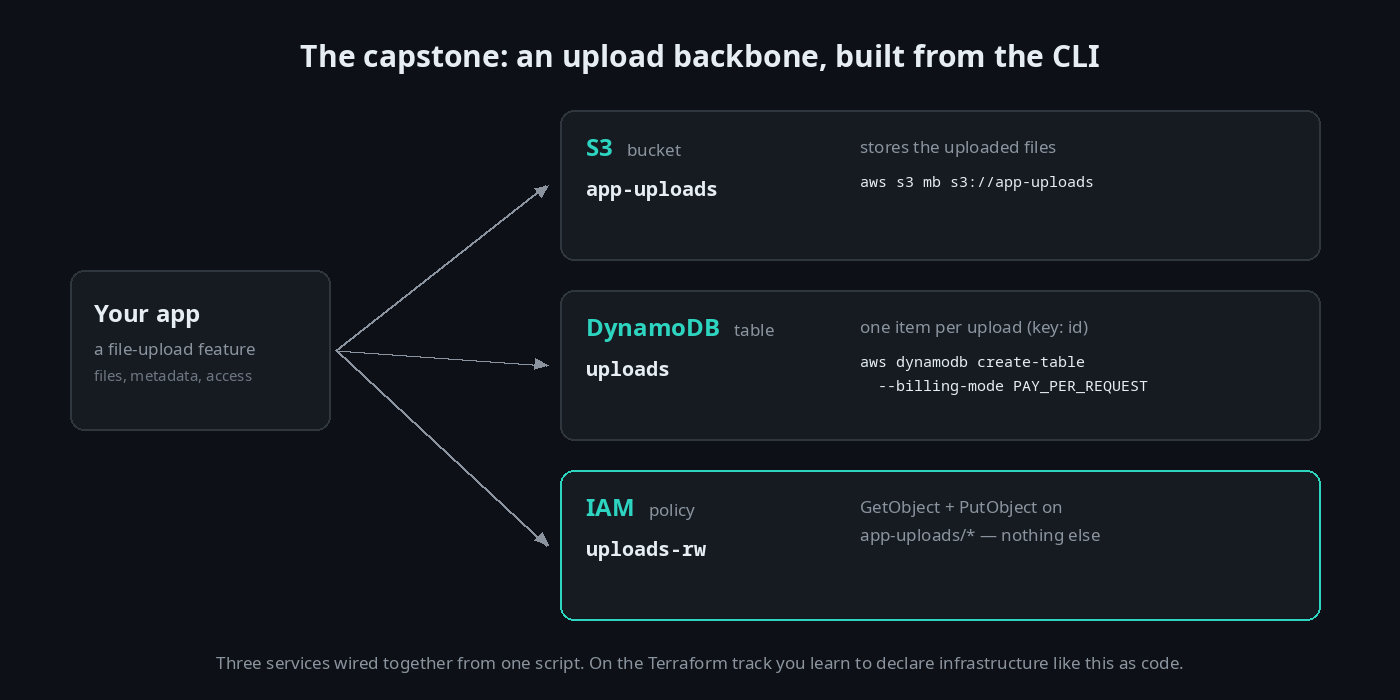
aws s3 mb s3://app-uploads

aws dynamodb create-table \
  --table-name uploads \
  --attribute-definitions AttributeName=id,AttributeType=S \
  --key-schema AttributeName=id,KeyType=HASH \
  --billing-mode PAY_PER_REQUEST

aws iam create-policy --policy-name uploads-rw --policy-document file://policy.json
The policy grants s3:GetObject and s3:PutObject on app-uploads/* and nothing else. That's least privilege in a form you can point at. Real cloud work is rarely one service on its own. It's a few of them wired into something useful, and this is the kind of backbone that normally hides behind a deploy button.
Built for getting hired
Interview questions in every lesson. Each lesson includes one or two interview-prep questions on its topic, with worked answers. After the SNS lesson, for example:
"When would you use SNS instead of SQS?"
Others cover least privilege and the parts of an IAM policy statement, what a VPC is and how subnets relate to it, DynamoDB partition keys and on-demand billing, SQS visibility timeouts, and what aws sts get-caller-identity is for.
Résumé bullets you've earned. Most lessons add a ready-to-copy résumé line to your profile when you finish them. The capstone's reads: "Built a multi-service AWS backbone from a brief — S3 storage, a DynamoDB table, and a scoped IAM policy — entirely from the CLI."
A certificate when you finish. Complete every lesson in the track and you can claim a certificate of completion, with a public verification page and an Add to LinkedIn button.
How it compares
| Videos & console tutorials | Your own AWS account | OpsPath | |
|---|---|---|---|
| Make real AWS API calls | ❌ You watch | ✅ | ✅ Every lesson |
| Risk of a surprise bill | None | ⚠️ Real | None |
| Learn the API, not just the console | Rarely | Only if you choose to | ✅ CLI-first |
| Know you've actually done it | ❌ | ❌ | ✅ Every step is checked |
| Interview prep | Sometimes | ❌ | ✅ In every lesson |
A real AWS account is still worth having eventually, especially for the services that don't emulate well. OpsPath gets you to the point where you know what you're creating before it can cost you anything.
Where it leads
Cloud Fundamentals sits just before Terraform on OpsPath's roadmap to a first platform or infrastructure role:
- Before it: Linux and Bash. The AWS CLI is a command-line tool, and the lessons are written as small shell scripts, so being comfortable at a prompt helps.
- After it: Terraform. Doing it by hand teaches you what's really happening. Terraform is where you make it repeatable: declare infrastructure as code and
applyit in one command, the way production teams ship it. The Pro Terraform lessons run realapplyagainst the same kind of sandboxed AWS emulator. We wrote about how the Terraform track works too.
Who this is for
- Career changers and graduates heading for a first cloud, DevOps or platform role, who want to understand the building blocks before automating them.
- Developers whose code already runs on AWS and who want to understand the storage, identity and messaging it depends on.
- Anyone learning Terraform who keeps writing
aws_s3_bucketandaws_iam_policywithout being sure what those resources actually are.
You don't need an AWS account or any cloud experience to start.
Start in the next five minutes
Create a free account and open Your First AWS Calls. You'll make your first AWS API call within a minute. The next lesson, S3 — Object Storage, is free too. See whether learning by doing clicks for you, then upgrade to Pro when you want the rest of the track.