Learn Python for operations by doing: real code, graded by real tests
When a Bash script outgrows itself, infrastructure engineers reach for Python. Here's how OpsPath teaches the Python that ops work actually uses: JSON, CSV, regex, subprocess and small CLIs, written in your browser and graded by real test suites.
The OpsPath team
6 min readpythonautomationcareer
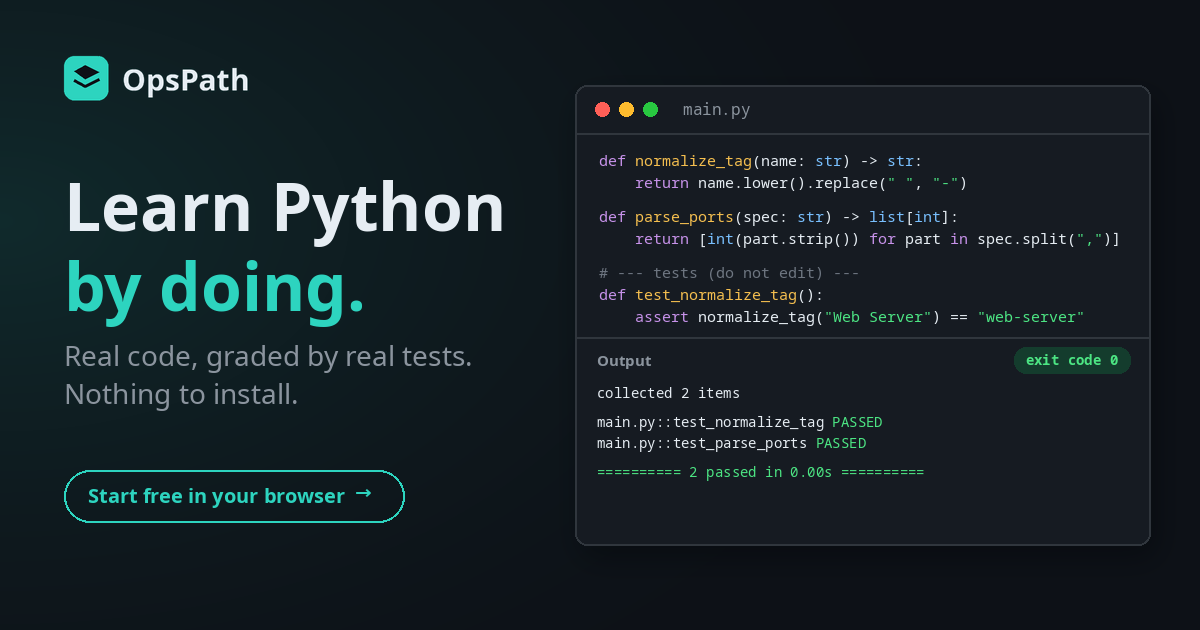
Every infrastructure team has a moment when a Bash script gets too clever. It's parsing JSON with grep, counting things in nested loops, and nobody wants to touch it. That's usually when someone rewrites it in Python.
Python is the glue language of operations work. It reads the config files, reshapes the data, drives the other tools and produces the report. You don't need to be a software engineer to write it well. You do need the handful of standard-library patterns that come up again and again, and the habit of proving your code works.
The Python for Operations track on OpsPath teaches exactly that, and it does it the way professional teams work: with tests.
Why Python is hard to learn for ops work
General courses teach the wrong half. Most Python courses build games, web apps or data science notebooks. The parts an infrastructure engineer uses every week, like json, csv, re, subprocess and argparse, get a chapter near the end, if that.
"It ran" isn't the same as "it works". A script that prints something plausible can still be wrong for the input you didn't try. Without tests, you find out in production.
Setting up Python is its own lesson. Versions, virtual environments and packages can eat a beginner's first evening before they've written a line.
How OpsPath teaches Python
Every lesson is hands-on. You write Python in an editor in your browser and press Run. It executes with real Python 3 in an isolated sandbox, with no setup and nothing to install, and you see the real output and exit code.
This track is test-driven. Several lessons hand you a test suite and a set of empty functions, and your job is to make the tests pass without editing them. Some use plain assert statements. The pytest lessons use real pytest, so you read the same PASSED and FAILED report you'd see in a CI job.
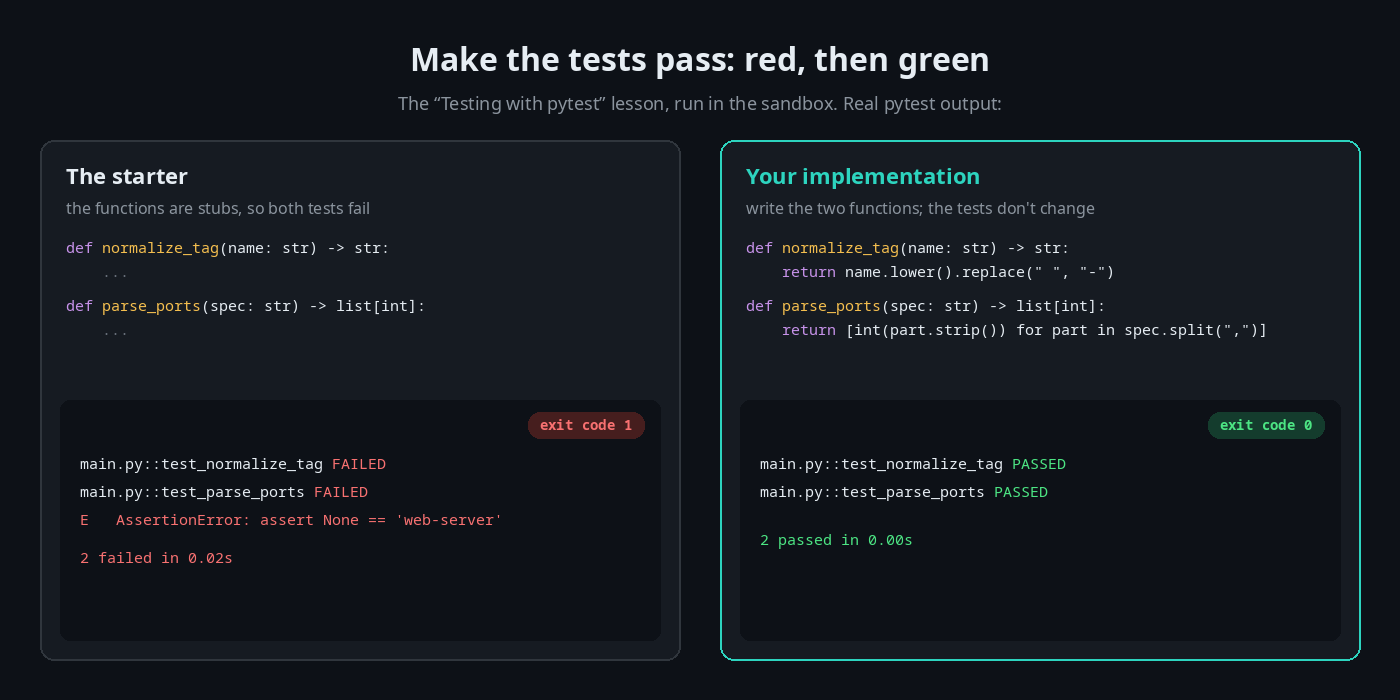
Then the track flips it around. In Writing Your Own Tests, the function already works and you write the pytest suite: a parametrized table of cases and a test that checks the right exception is raised.
Every step is checked automatically, and each run happens in a throwaway sandbox with no network access that's destroyed afterwards.
What's in the track
Twelve lessons in eight modules. The first two are free with an account.
| Lesson | What you actually do |
|---|---|
| Variables & Output (free) | Print with f-strings, and convert the string "42" into a number you can do maths with |
| Lists, Dicts & Comprehensions (free) | Loop over a list of servers, look up replica counts in a dict, and filter with a comprehension |
| Functions & Tests | Write type-hinted functions until an assertion suite passes |
| Testing with pytest | Implement two functions until a real pytest suite goes green |
| Writing Your Own Tests | Write a parametrized pytest suite and a pytest.raises test for a function you didn't write |
| Working with JSON | Load a config file, walk its list of services, and total their replicas |
| Working with CSV | Read rows with DictReader, sum a column for one region, and write a filtered file with DictWriter |
| Parsing Text with Regex | Pull status codes out of a log, count the errors, and redact every IP address |
| Errors & Exit Codes | Catch an expected KeyError, raise ValueError on bad input, and exit non-zero so the shell knows it failed |
| Shelling Out with subprocess | Run a command and capture its output, check its return code, and turn failures into exceptions with check=True |
| Building a CLI | Parse --env and --force with argparse, restrict choices, and load the result into a dataclass |
| Capstone: A Deploy-Report Tool | Finish a small tool that reads a JSON service list and writes a report, with a test suite that has to pass |
The data is the kind ops work runs on: a config.json of services, a servers.csv with regions and CPU counts, an app.log with status codes and IP addresses.
Exit codes and subprocess: Python that plays well with others
Two lessons are about Python as part of a bigger system, which is where most ops scripts live.
Errors & Exit Codes ends with your script calling sys.exit(2). That matters because a CI job, a cron wrapper or a Bash script decides what to do next from the exit code, not from what you printed.
Shelling Out with subprocess goes the other way: Python running other tools. You capture output, read return codes, and use check=True so a failing command raises an exception instead of being silently ignored.
Built for getting hired
Interview questions in every lesson. Each lesson includes an interview-prep question on its topic, with a worked answer. After the subprocess lesson, for example:
"Why pass the command as a list of arguments instead of one string, and what does shell=True change?"
Others cover "42" versus 42, comprehensions versus loops, what type hints do and don't do, what pytest gives you over plain assert, why you'd use the csv module instead of splitting on commas, when a regex is the wrong tool, and why argparse beats reading sys.argv yourself.
Résumé bullets you've earned. Finishing a lesson adds a ready-to-copy résumé line to your profile. The pytest-writing lesson's reads: "Wrote a pytest suite from scratch — a parametrized table of cases plus an exception test with pytest.raises — for a function I didn't write."
A certificate when you finish. Complete every lesson in the track and you can claim a certificate of completion, with a public verification page and an Add to LinkedIn button.
How it compares
| General Python courses | Your own laptop | OpsPath | |
|---|---|---|---|
| Focus on ops tasks (JSON, CSV, logs, subprocess, CLIs) | Rarely | Bring your own | ✅ The whole track |
| Setup before you start | Varies | Install Python, set up an environment | None, it's in your browser |
| Graded by real tests | Sometimes | Only if you write them | ✅ Assertion suites and real pytest |
| Know you've actually done it | Sometimes | ❌ | ✅ Every step is checked |
| Interview prep | Sometimes | ❌ | ✅ In every lesson |
Where it fits
Python sits after Linux, Bash and Git on OpsPath's roadmap to a first platform or infrastructure role:
- Before it: Bash. Python takes over where shell scripts run out of road. We wrote about the Bash track too.
- After it: Cloud (AWS) and Terraform. Infrastructure tooling is full of JSON. Python is how you'll read it, check it and turn it into reports.
Who this is for
- Career changers and graduates heading for DevOps, cloud or platform roles, where "can you write a quick script for that?" is a weekly question.
- Sysadmins whose Bash scripts have outgrown Bash.
- Developers from other languages who want the ops-flavoured parts of Python without a general-purpose course.
You don't need any Python experience to start.
Start in the next five minutes
Create a free account and open Variables & Output. The next lesson, Lists, Dicts & Comprehensions, is free too. See whether learning by doing clicks for you, then upgrade to Pro when you want the rest of the track.