Learn Git by doing: branches, real merge conflicts, and a history you can explain
Most people learn Git by memorising three commands and panicking at the fourth. Here's how OpsPath teaches it instead: real git in your browser, real conflicts to resolve, and every step checked.
The OpsPath team
6 min readgitversion-controlcareer
Git is the one tool every engineering team uses, whatever language, cloud or framework they've picked. Infrastructure work is no exception: Terraform lives in a repository, CI pipelines run on pull requests, and every change you make to production starts as a commit.
Most people learn just enough Git to survive. add, commit, push. Then one day a merge stops halfway with CONFLICT, the terminal fills with <<<<<<< markers, and the instinct is to copy the folder somewhere safe and start again.
The Version Control with Git track on OpsPath is built to replace that panic with a plan.
Why Git is hard to learn
The mental model is invisible. Git is a graph of commits with movable labels called branches. Once you can picture that, almost every command makes sense. Until then, they're incantations.
The scary parts never come up in tutorials. Conflicts, rewritten history and "I committed the wrong thing" are what actually trip people up, and they're exactly what a tidy demo avoids.
Practising on a real project is risky. Nobody wants to experiment with rebase on the team repository, so people never build the muscle memory until the day it really matters.
How OpsPath teaches Git
Every lesson runs real git in an isolated sandbox in your browser. You type git commands into a terminal in your browser, one at a time, and the repository carries over from one command to the next, just like on your own machine. You read the real output: git status, git log --oneline, the actual CONFLICT message.
Each lesson sets up the repository you need. Where it matters, that means two branches that have already diverged, or a remote waiting to be pushed to, so you spend your time on the skill rather than the setup. Steps are checked automatically: what git printed, which files ended up tracked, and what the history looks like afterwards.
Nothing you do can touch a real repository. Every run happens in a throwaway sandbox with no network access, and it's destroyed afterwards. Break the history as badly as you like.
What's in the track
Nine lessons, one per module. The first two are free with an account.
| Lesson | What you actually do |
|---|---|
| Your First Commit (free) | git init a repository, stage a file with git add, commit it, and read the log |
| Branching & Merging (free) | Create a feature branch, commit on it, and merge it back into main |
| Ignoring Files with .gitignore | Keep a debug.log and a secret.env out of the repository, and prove it with git check-ignore |
| History & Undoing Changes | Read a change with git diff, throw it away with git restore, and fix a typo'd commit message with --amend |
| Resolving a Merge Conflict | Trigger a real conflict, edit the file to the version you want, and finish the merge |
| Remotes: Push, Pull & Clone | Add an origin, push -u your branch, and clone it again the way a teammate would |
| Rebasing for a Clean History | Let two branches diverge, rebase one onto the other, and fast-forward merge |
| Cherry-Picking a Single Commit | Take one fix from a branch full of unfinished work, and explain the trade-off |
| Capstone: The Feature Workflow | Run the whole day-to-day loop from a written brief |
The remotes lesson uses a repository inside the sandbox as origin, standing in for GitHub or GitLab. The commands are exactly the ones you'd use against a hosted remote.
Conflicts stop being scary
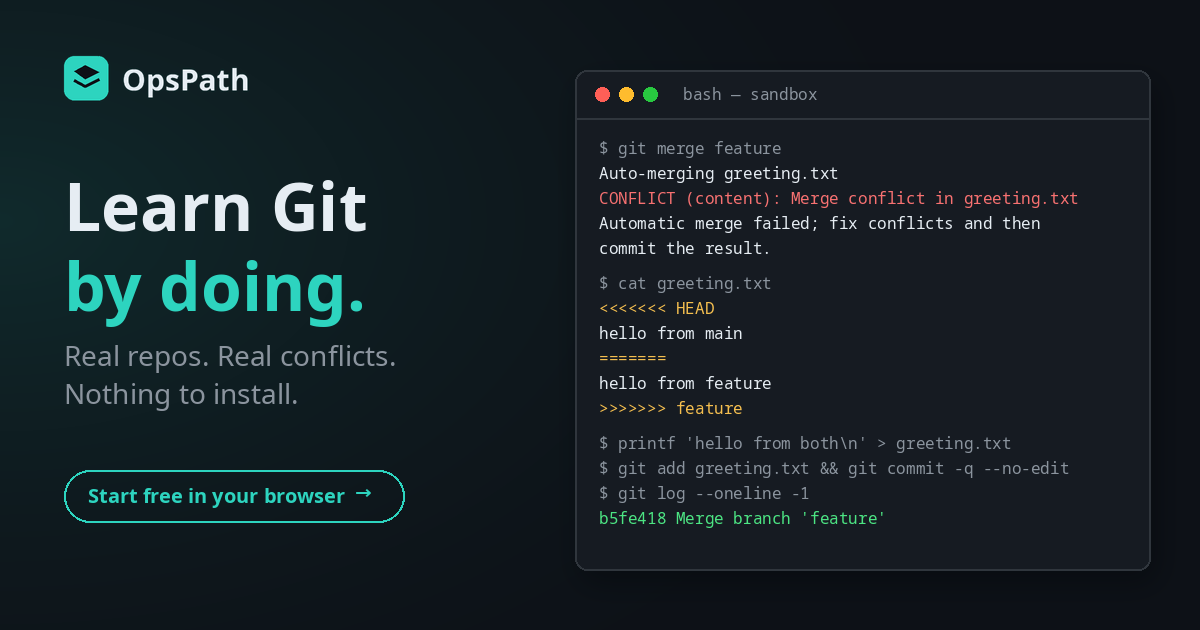
The merge conflict lesson is the one people remember. Two branches have edited the same line, so git merge can't decide for you. You see the real CONFLICT message, open the file, and find both versions side by side between the markers. Then you write the version you actually want, git add it, and commit to finish the merge.
Do that once in a sandbox and the next conflict at work is just another step.
Merge or rebase?
It's one of the most common Git interview questions, and one of the easiest to answer once you've seen both. Here's the same work, merged one way and rebased the other, using real output:
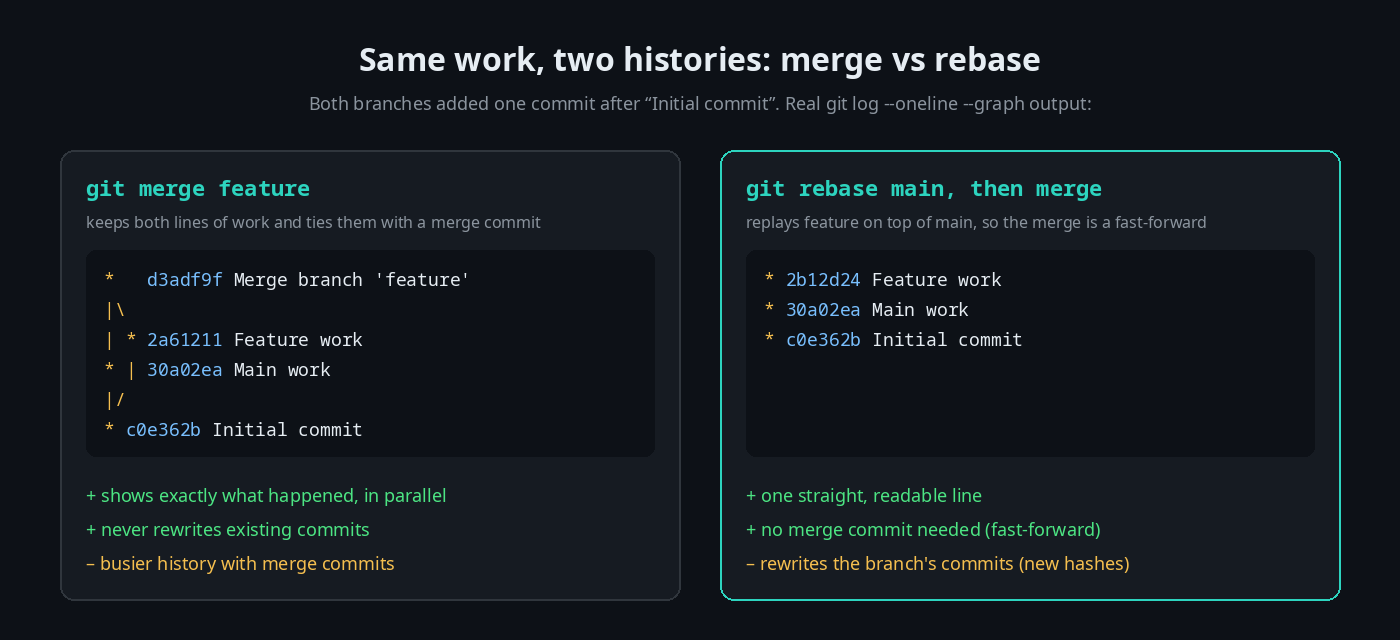
In the rebasing lesson you create exactly this situation, rebase the feature branch onto main, and watch Git report a fast-forward instead of creating a merge commit.
Built for getting hired
Interview questions in every lesson. Each lesson includes an interview-prep question on its topic, with a worked answer. After the .gitignore lesson, for example:
"You accidentally committed a file with an API key. Is adding it to .gitignore enough?"
(It isn't. The lesson explains why, and what you'd do instead.) Others cover the difference between git add and git commit, why you work on a branch, how you'd resolve a conflict, what -u does on a push, merge versus rebase, and when cherry-picking is the right tool.
Résumé bullets you've earned. Finishing a lesson adds a ready-to-copy résumé line to your profile. The merge conflict lesson's reads: "Resolved Git merge conflicts end to end — triggered a conflicting merge, edited the file to the intended result, and completed the merge commit."
A certificate when you finish. Complete every lesson in the track and you can claim a certificate of completion, with a public verification page and an Add to LinkedIn button.
How it compares
| Videos & cheat sheets | Practising on a real repo | OpsPath | |
|---|---|---|---|
| Run real git | ❌ You watch | ✅ | ✅ Every lesson |
| Safe to break things | ✅ Nothing to break | ⚠️ Not on the team repo | ✅ Throwaway sandbox |
| Real conflicts and diverged branches to practise on | ❌ | Only when it happens to you | ✅ Set up for you |
| Know you've actually done it | ❌ | ❌ | ✅ Every step is checked |
| Interview prep | Sometimes | ❌ | ✅ In every lesson |
Where it fits
Git sits third on OpsPath's roadmap to a first platform or infrastructure role, after Linux and Bash. Those tracks make you comfortable at the prompt where git lives. We've written about the Linux track and the Bash track too.
From here, everything you build is something you'll commit. The Terraform track's CI/CD lesson walks a change through the two jobs every infrastructure pipeline has: plan on pull request and apply on merge. That only makes sense once branches and merges do.
Who this is for
- Career changers and graduates who need Git on day one of any engineering job.
- Developers who use Git every day but still reach for "delete the folder and re-clone" when something goes wrong.
- Sysadmins and analysts moving into infrastructure-as-code, where every change goes through a repository.
You don't need any Git experience to start.
Start in the next five minutes
Create a free account and open Your First Commit. You'll have a repository and a commit in a couple of minutes. The next lesson, Branching & Merging, is free too. See whether learning by doing clicks for you, then upgrade to Pro when you want the rest of the track.